


QUALITY STANDARDS








STAY UPDATED
From ASC Sunstone Homepage, click login in the upper right and enter your username and password.
 |
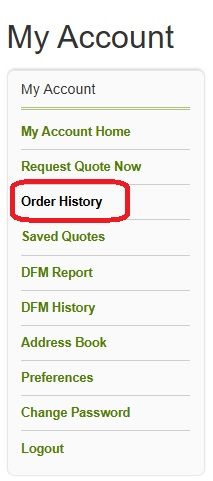
After logging into your account, open your order history and navigate to the appropriate order and open it.
 |
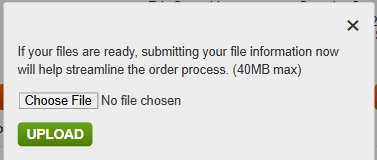
Click the Choose File button which will bring up a file dialog box. Locate the zip of all the files you would like to upload and select it. Click the green Upload button to submit your new file set.
 |
 Get Quote